Best Video Editing Softwares for freelancing
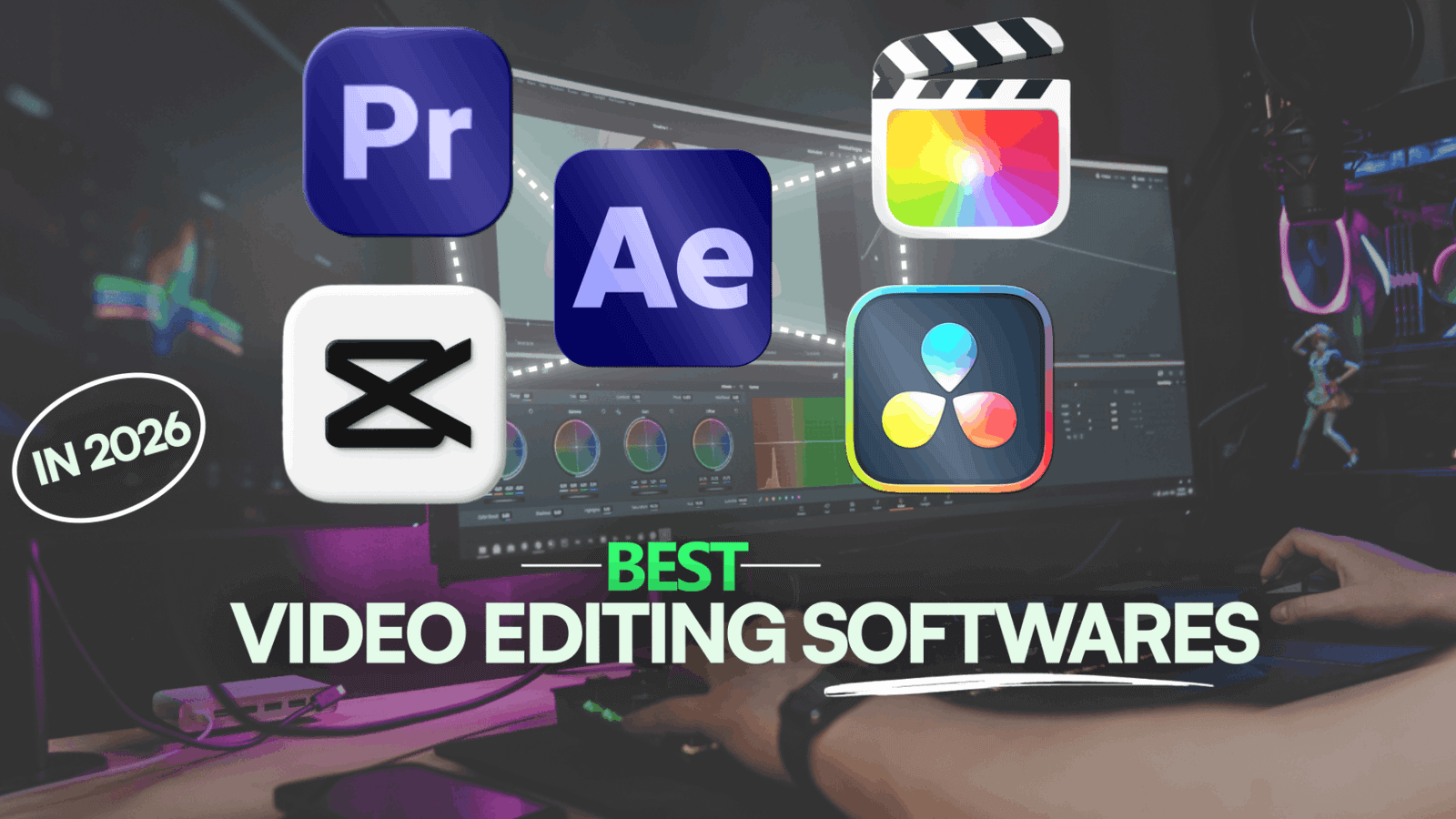
As a newcomer to video editing one of the big questions is… Which software should I choose? There are options like Premiere Pro, After Effects, CapCut, DaVinci Resolve and Final Cut Pro. I’ve worked with all of them for years from social media content to client projects. So I’ve put together this beginner’s guide to help you avoid wasting time trying to learn many programs at once.
Video editing in Adobe Premiere Pro
Adobe Premiere Pro is the widely used video editing software in the industry. I’ve used it for years with clients. It handles everything from YouTube videos and Reels to advertising content and interviews. It’s reliable and powerful.
What I like:
‣It’s very easy for beginners becausee a newcomer can learn Premiere pro basics in maximum 2 to 3 months.
‣It works seamlessly with Adobe apps like After Effects and Photoshop.
‣There are tons of plugins, templates and presets
‣It has AI tools like automatic captions and voice to text.
‣Clients often send their projects already made in Premiere Pro.
What to know:
‣It’s not free you need a subscription but most of the editors are using it’s crack version which is against the policy and also crack version may harm your windows !
‣You don’t need that much strong computer to run this
My experience using Premiere Pro It didn’t feel complicated to me when i was a newcomer i use plugins to save time and make projects look more professional. The integration with After Effects makes it easy to bring in motion graphics. It’s also great for working with clients because it’s so widely used.
Video editing in Adobe After Effects
After Effects is not just a video editing software. It’s designed for motion graphics, animated text, logo animations and visual effects. If you want to make a video that stands out with movement this is the tool to use.
What I like:
‣It gives you unlimited creative freedom.
‣Perfect for animated titles, transitions and graphics.
‣Works with Premiere Pro.
‣Lots of templates and plugins available.
‣It has a huge demand in video editing market.
What to know:
‣It’s not beginner friendly. It takes time to learn.
‣It requires a strong computer system because every single frame wants to be rendered perfectly.
My experience using After Effects is hard to learn at first but it’s worth it. It’s my favorite sofrware and i like to make animation in after effects knowing how to create motion graphics opens up a lot of opportunities. Clients are willing to pay more for videos that have animated elements. It’s a skill that can significantly increase your value as an editor.
DaVinci Resolve
DaVinci Resolve is known for its color correction tools. The free version is very strong and used by professionals. The paid version, DaVinci Resolve Studio costs one-time. Includes more advanced features.
What I like:
‣The free version is powerful and fully functional.
‣Its color correction tools are tier.
‣It covers all stages of post-production: editing, color, audio and visual effects.
‣It’s completely free , no subscription.
What to know:
‣It’s not as easy to learn for beginners.
‣You need a graphics card to work efficiently.
My experience using DaVinci Resolve is at first the interface felt confusing.. After a few hours I realized how customizable and full of useful tools it is. The fact that the free version is so capable is huge for beginners. You can make high-quality videos without spending money.
CapCut
CapCut is TikTok’s video editing app. It’s simple, full of effects and very easy to use. It’s perfect for social media content.
What I like:
‣It’s extremely easy to learn great for beginners.
‣It has captioning and a large library of templates.
‣It’s free although some effects require a subscription.
What to know:
It’s not meant for professional work.
You have limited control over effects and editing.
My experience using CapCut is great for making Reels, TikTok and Shorts. It has lots of made templates and effects.. It’s not good for creating animations or complex graphics. If you’re just starting and want to post on media this is a good place to begin.
Final Cut Pro 
Final Cut Pro is Apple’s video editing software. It only runs on Mac. It’s very popular among Mac users. It’s intuitive and fast. The interface works with other Apple devices like iPhones and iPads. It’s a one-time purchase or part of an Apple subscription so it’s cheaper than Premiere Pro in the run.
I haven’t used it a lot. I tried it for a few hours. I noticed it’s fast and user-friendly. Mac users like it a lot.. Since most of my clients use Premiere Pro I find it harder to collaborate with them using Final Cut Pro.
Which Software is best for video editing
‣If you are a beginner with a limited budget: try CapCut or the free version of DaVinci Resolve.
‣If you want to work with clients and international projects: learn Adobe Premiere Pro.
‣If you want to earn more and create high end videos: study After Effects.
‣If you love color grading and cinema style editing: choose DaVinci Resolve.
‣If you have a Mac: consider learning Final Cut Pro.
My Advice
Don’t try to learn all the programs at once. It’s much. Pick one software learn it thoroughly and practice every day. The specific software you use is not as important as the quality of your work. A skilled editor can do things in any tool. A beginner will not improve by switching to After Effects.
Also don’t be fooled by effects or AI tools. The fundamentals of video editingtiming, pacing, storytelling are the same across all software. Tools are helpful. They won’t fix bad editing.
Final Thoughts
There are video editing programs out there each with strengths and weaknesses. I hope this guide helps you pick the one for your needs. Don’t get overwhelmed. Don’t try to use everything at. Focus on one program learn it well and grow your skills. With time and practice you’ll be able to create videos no matter which software you use. You’ll find your path, to success.
For more watch these !